
Watch Winder and Watch Stand Product Photography Checklist for Wholesale Catalogs
Why a Wholesale Catalog Needs Different Images for Each Product
Watch winder and watch stand product photography has to answer two related but different buying questions. A winder buyer needs to understand an enclosed or structured product: its exterior, watch positions, access to the interior, and the controls visible on the selected model. A stand buyer needs to see how an open support presents a watch and which surfaces appear to touch it. One attractive group photograph cannot provide all of those answers.
For a watch brand, distributor, or private label buyer, images also become a record of what has actually been offered. A catalog that mixes models, finishes, or unconfirmed configurations can create trouble later when a sample arrives. The purpose of a shot list is therefore not only visual consistency. It is to keep the photographs, specification sheet, and proposed product page aligned.
Start With a Model-Level Image Register
Before a photographer begins, give each physical sample a working identifier and record which photographs belong to it. Use the confirmed SKU if one exists. If it does not, use a temporary internal reference and keep it out of public copy until the product owner approves the official name. The same rule applies to finish, color, capacity, and included accessories.
Build the register around the actual sample rather than a desired listing. For a watch winder, note the exterior view, open view, watch-holder view, and any visible control panel. For a watch stand, note the complete silhouette, watch-support area, base, and a side view showing how a watch rests on it. A product sheet can then point to the exact file used for each claim.
Photograph the Winder as a Complete Product
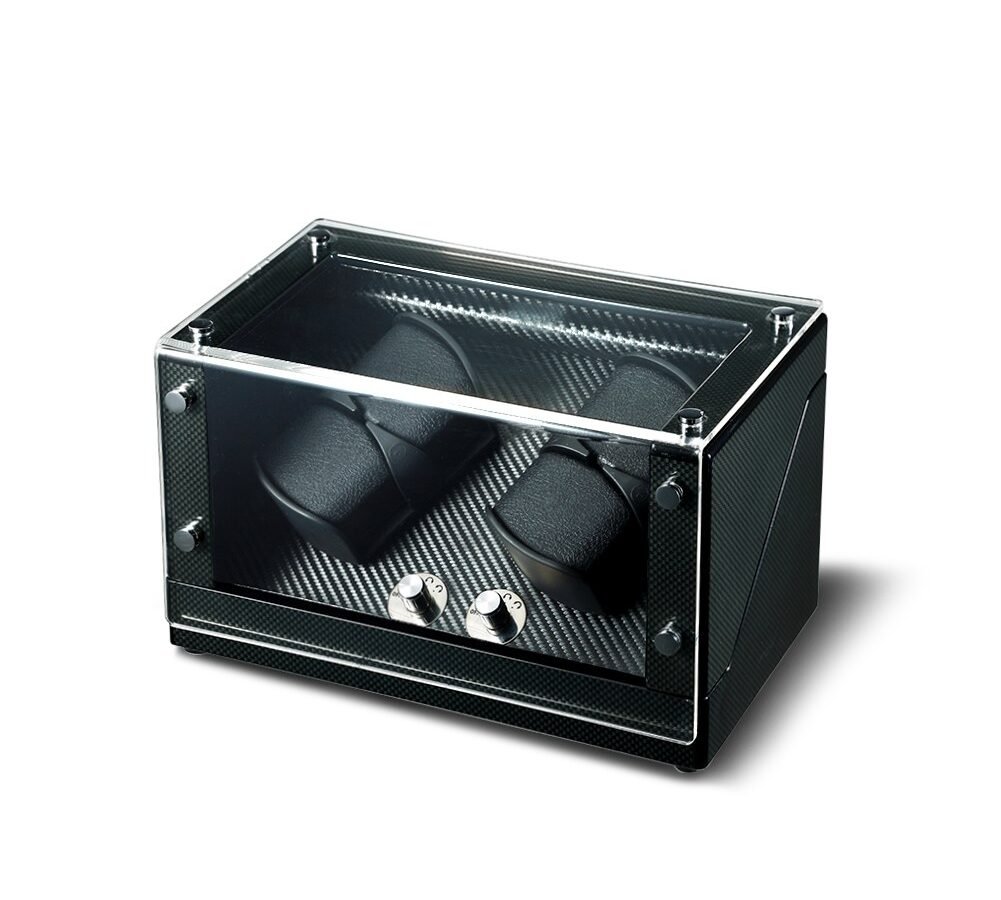
The first winder image should show the whole unit with its door or cover in its normal closed position. Buyers should be able to judge the overall form without guessing where the frame ends. A second angle can show the depth and opening direction when those details are relevant. Avoid cropping away the base or a side panel simply to make the watch inside look larger.
An open photograph should then explain what the exterior image cannot: watch positions, holders, interior surfaces, and the relationship between the watch and the enclosure. If the sample has visible controls, make a separate close view that leaves the labels legible. Olymbros offers configurable rotation direction, turns per day, and timed rest options, but a catalog must only assign particular settings to a pictured model after that model’s specification has been checked. A generic capability is not a model-level claim.
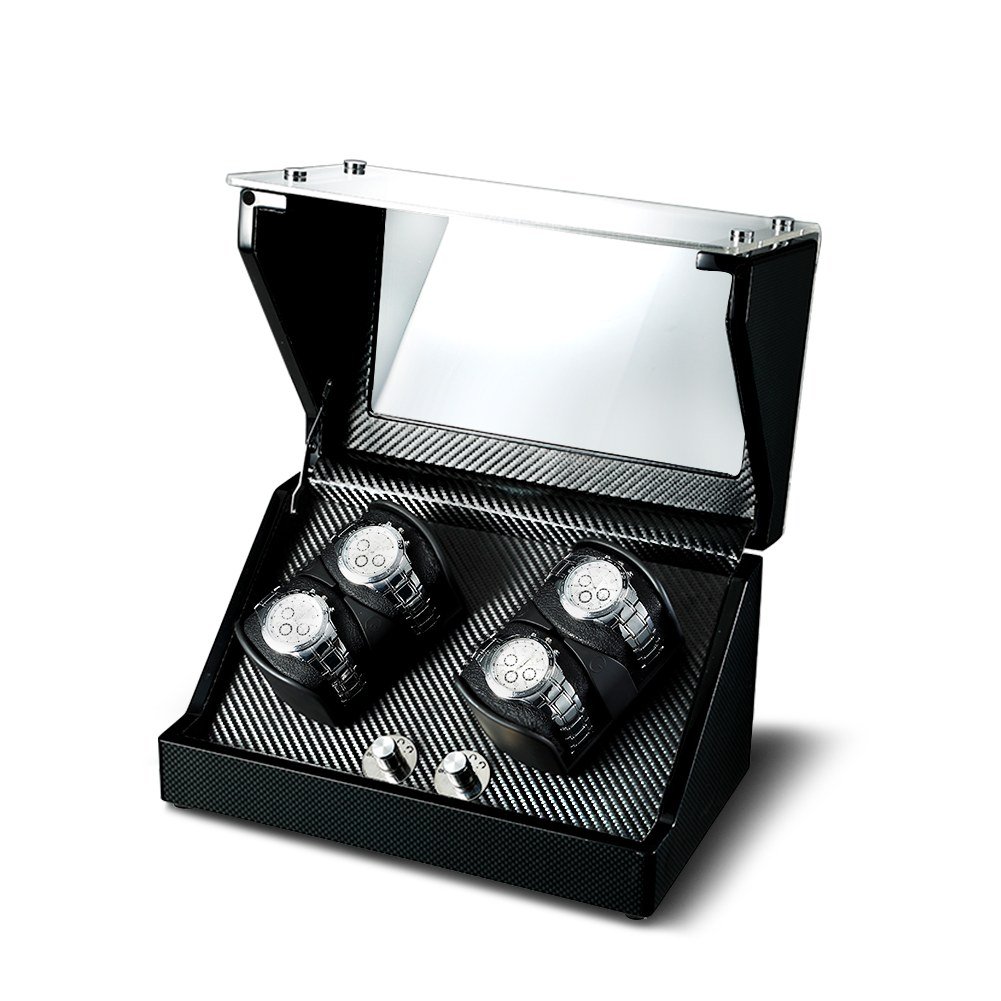
Reflective finishes and transparent covers need careful handling. Position the light so the surface can be read without a bright reflection hiding the opening or controls. Do not digitally remove a feature that a buyer will see on the physical sample. If a panel material is relevant to the copy, confirm it for that specific model rather than inferring glass or acrylic from a photograph.
Show How the Stand Holds a Watch
A stand photograph should make its support function understandable at a glance. Start with one image of the stand alone, then show it with a watch when a suitable demonstration watch is available. The second view should reveal the contact area and the angle of presentation. If a watch obscures the support completely, take an additional empty view instead of relying on an imagined description of the construction.
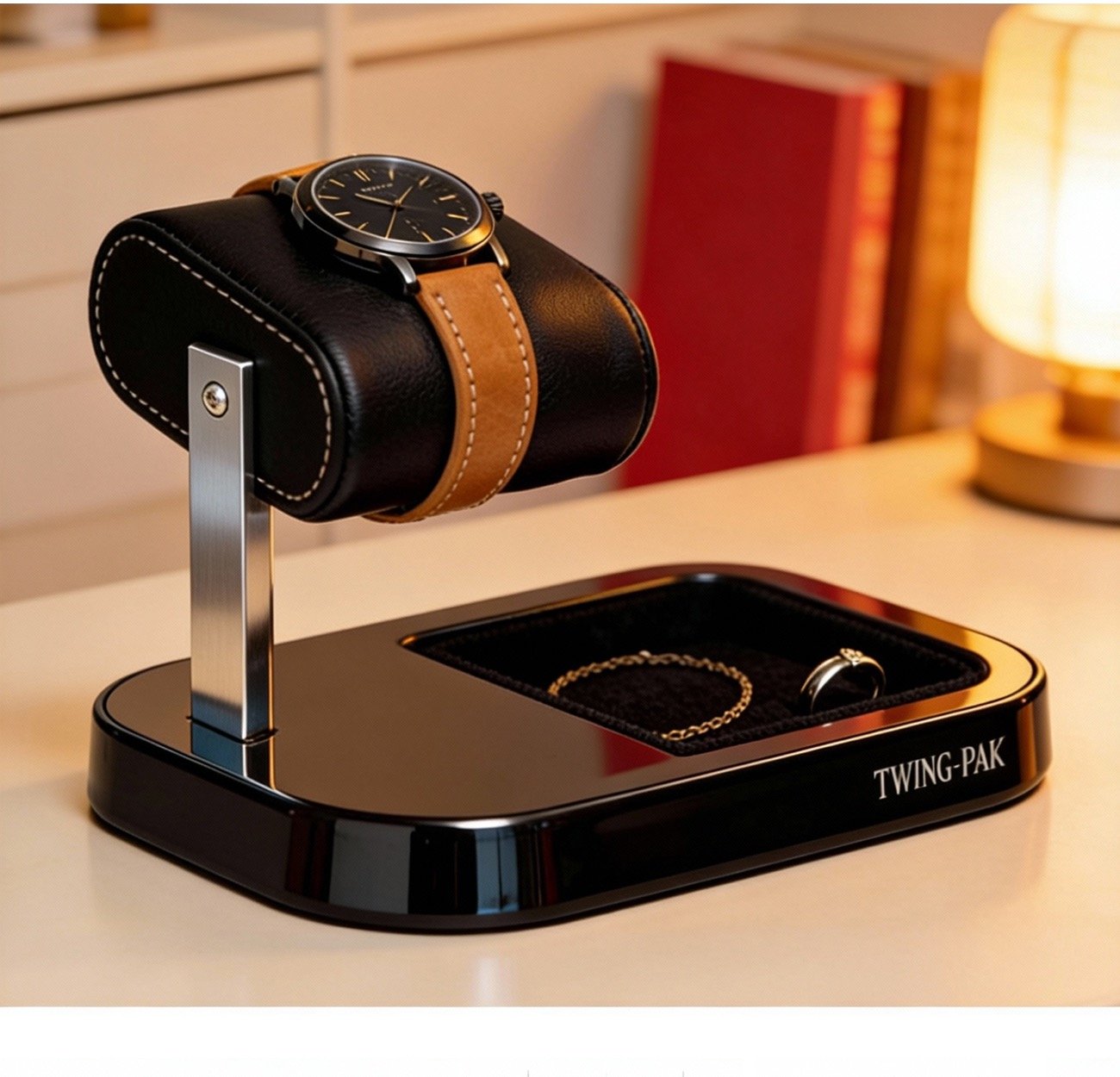
The base and side profile matter in a wholesale listing because the front view may hide the structure. Photograph the object at a consistent camera height, then make a side view that shows the support path from base to watch. A close photograph can document a lining or contact surface, but only when its actual material has been verified. Color in an image is not a reliable substitute for an approved finish name.
Match Every Claim to a Photo or Approved Specification
A practical review table helps the catalog team separate visible evidence from facts that require confirmation. The table is a workflow, not a set of specifications for any particular product.
| Buyer question | Useful image | Information to confirm before publishing |
|---|---|---|
| What does the winder look like closed? | Full exterior and a second angle if needed | Exact model, finish, color, and cover or door material |
| How are watches placed inside? | Open interior with holders visible | Capacity, holder type, and interior material for this model |
| What controls can the buyer expect? | Clear control-area close view | Available direction, TPD, and rest settings for the pictured configuration |
| How does the stand present a watch? | Stand alone plus a watch-in-place side view | Supported watch format and watch-contact material |
| What will arrive with the order? | Actual packaging and included items | Components, packaging method, and whether products are sold separately or together |
This check prevents two common catalog errors. First, a product photograph may show a feature that the text fails to identify, leaving the buyer to guess whether it is included. Second, a product description may promise a feature that appears only on a different sample. Both errors can be avoided by reviewing the image register and product sheet together before a listing is approved.
Keep Group Images Honest About the Offer
A winder and a stand can look coherent in one frame even when they are independent products. Such a photograph may be useful on an assortment page, provided the caption and surrounding copy make the commercial relationship clear. A group image should not be used as the sole image for either individual listing. Each product still needs its own exterior and detail views.
If the items are only being cross-referenced, write them as separate products and link to their individual categories. A fixed bundle is a different claim: it requires identified components, a confirmed order structure, and packaging information. Do not invent a bundle SKU from a shared color or styling choice. A private label buyer may explore coordinated finishes through OEM/ODM customization, but the final configuration must be approved before the catalog says it exists.
Prepare Images for Product Pages and Buyer Review
Choose a cover image that remains understandable as a small thumbnail. Use detail images in the sections where they answer a question: exterior after the form is introduced, open interior beside capacity or access discussion, and stand side view beside support and contact-surface discussion. Repeating four near-identical angles gives the buyer less information than a varied set of views.
Write alternative text after inspecting the final selected photograph. It should describe what is visibly present, not the shot that the brief originally hoped to obtain. A filename, model folder, or planned caption is not evidence that a particular material or feature is visible. The final alt text can be short if the nearby paragraph already explains the buying decision.
Final Approval Before a Wholesale Listing Goes Live
Before publishing, compare the exact sample shown in the photographs with the approved product name, SKU, finish, capacity, control description, and packaging. Verify that the image sequence follows the buyer’s questions rather than the order in which files happened to arrive. Check that a stand image really shows the stand’s support and that a winder control image belongs to the same model as the cover photograph.
Olymbros can discuss OEM, ODM, and private label development, but a catalog should state only the options confirmed for the proposed item. If specifications or images are missing, keep those claims open during review. A buyer can then contact us with a clear brief: which winder and stand formats are being considered, whether they will be sold separately, and which photographs or specifications still need approval. What would your team need to see before it could approve both listings with confidence?