
Watch Box and Watch Stand Wholesale Display Checklist
Why Wholesale Buyers Should Plan the Two Formats Together
A watch box and a watch stand can serve different moments in the same retail journey. The box presents a group of watches in a protected, organized format. The stand brings one or more watches into a visible display position. When a wholesale buyer sources both, the products should work as a clear accessory range even when they are sold separately.
That review starts with the watch boxes and watch stands categories, then moves to physical samples and approved images. A catalog image can show finish and layout, but it cannot confirm every commercial detail. Buyers still need a product brief that identifies the model, confirmed materials, packaging plan, and intended display use.
Give Each Product a Clear Display Role
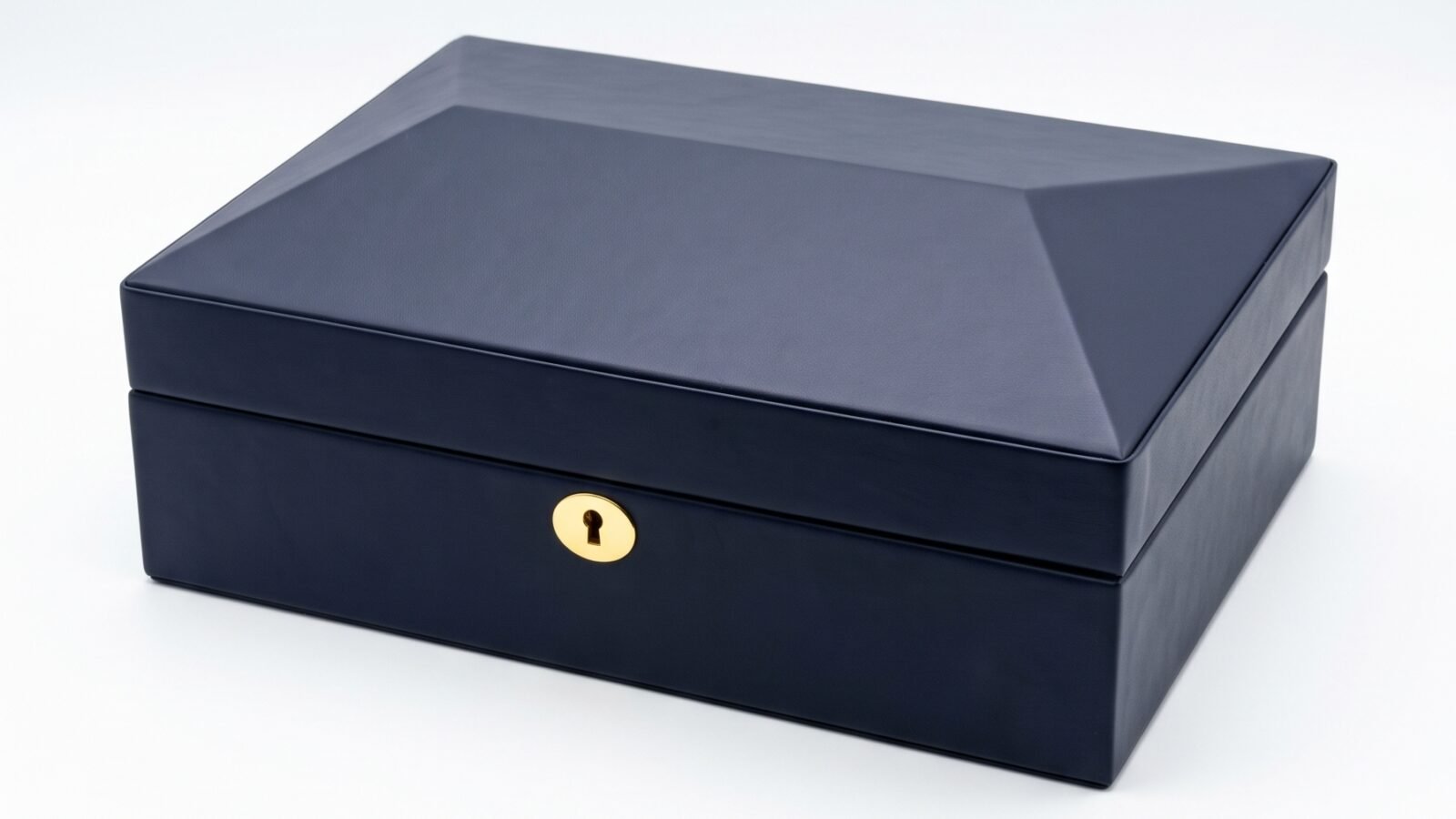
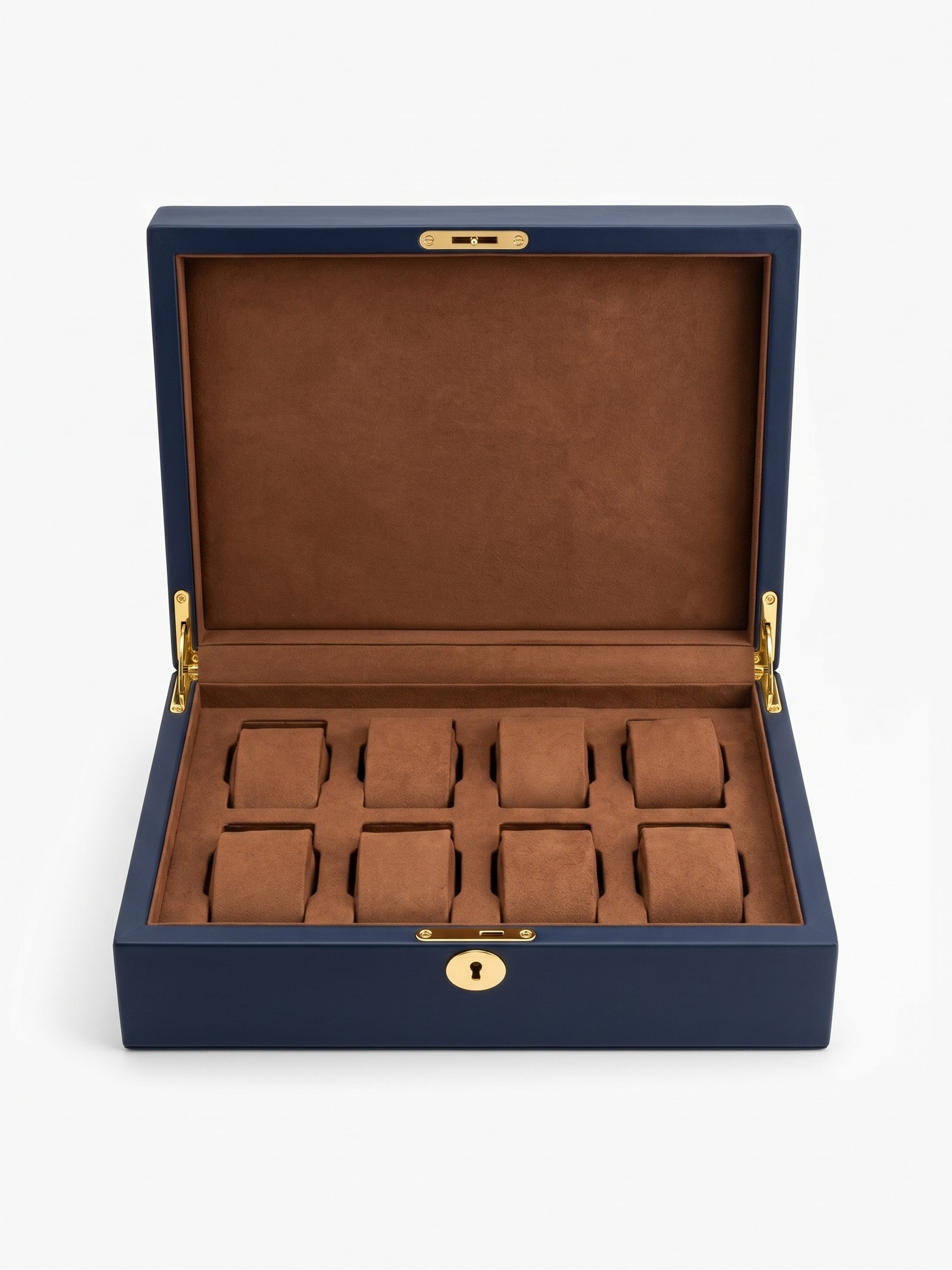
The watch box is usually the broader presentation format. A closed image communicates the exterior, lock or closure, and overall footprint. An open image communicates the interior arrangement, cushions, lining, and the way a customer may see several watches together. Those are different selling points, so a wholesale listing should make both views available when the product is approved for photography.
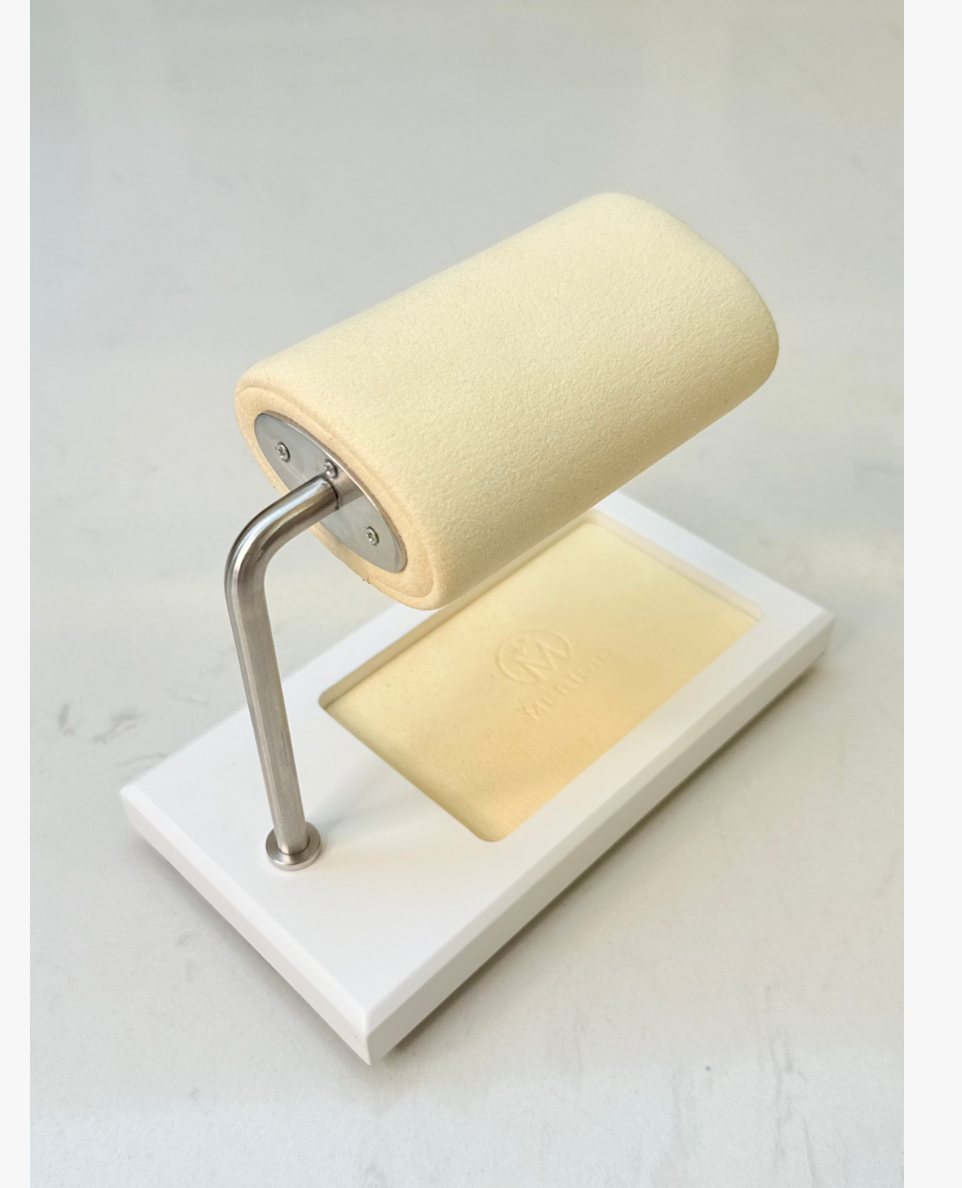
The watch stand has a more focused visual role. Its base, support, cushion, and any tray or accessory area should be easy to understand in one product image. A second image can show the stand in use, provided the watches and surrounding objects are part of the approved presentation. Buyers should decide whether the stand is intended for a single featured watch, a small group, or a wider display concept based on the actual product brief.
Do not use the word "set" simply because two products look compatible. They may be sold as separate items, recommended together, or approved as a fixed bundle. The listing, quotation, and image selection should use the commercial relationship that has actually been confirmed.
Select Product Images for the Wholesale Catalog
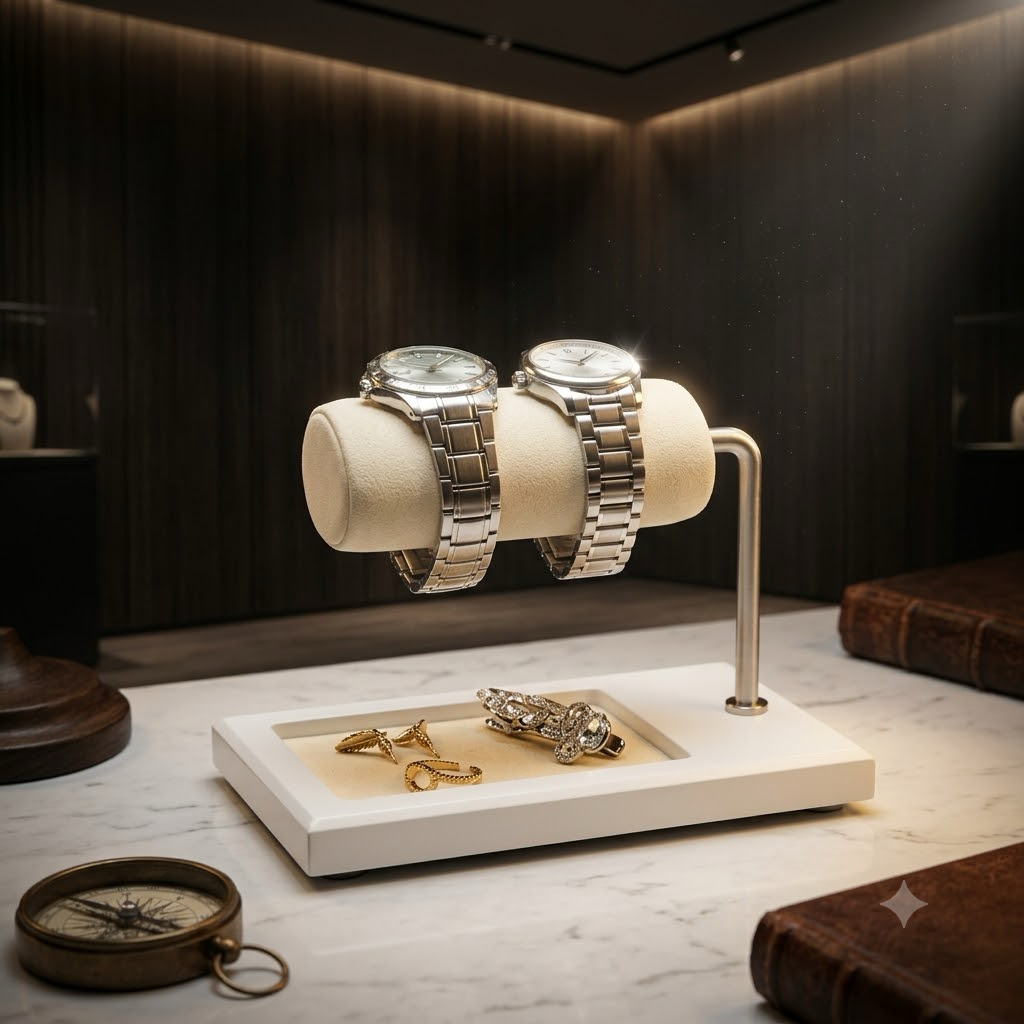
A reliable image set answers four basic questions: What does the product look like closed? What does it look like open? What details matter to a buyer? How might it appear in a display? The supplied images for this article show why the sequence matters. The closed blue watch box establishes the exterior. The open blue box explains the brown interior and cushion arrangement. The white watch stand shows its construction, while the lifestyle scene illustrates a possible display context.
For every image, keep the model identity clear. Do not combine an open view from one watch box with a closed view from another unless the catalog labels them separately. The same rule applies to watch stands. A polished lifestyle image can support merchandising discussion, but it should not be used as proof of dimensions, capacity, material, or a fixed assortment.
Use a simple file and review record before the images reach a wholesale catalog:
| Image role | What the buyer should learn | Check before approval | Suitable placement |
|---|---|---|---|
| Closed watch box | Exterior finish, closure, and overall presentation | Confirm the photo matches the quoted model | Main product image or catalog cover |
| Open watch box | Interior layout, cushions, and lining | Confirm the interior is the production sample | Product details or feature section |
| Stand product view | Base, support, cushion, and visible construction | Confirm the photographed stand is the offered version | Stand product listing |
| Stand lifestyle view | Possible retail presentation and viewing angle | Confirm all watches and props are approved for use | Retail display section |
This table describes review tasks rather than unverified specifications. It helps a buyer keep the visual story aligned with the actual sample.
Review the Watch Box Sample Before Listing It
Open the box and record what the image makes visible. Is the interior layout easy to understand? Are the cushions presented consistently? Does the lining appear clean and continuous in the photographed areas? If the product has a lock, hinge, or other visible hardware, make sure the photo shows it accurately without implying performance that has not been tested.
The box may be customized through materials, color, lining, logo treatment, or packaging, depending on the project scope. Olymbros lists options that can include piano lacquer, matte wood veneer, aluminum, carbon-fiber-pattern finishes, genuine leather, and PU leather, with velvet, suede, or microfiber linings. These are available material directions, not a claim about the exact blue box shown here. Confirm the quoted exterior and interior materials against the sample and specification before publishing a product page.
If the product will be sold to different retailers, prepare a consistent photo set for every approved finish. A buyer should be able to distinguish a color variation from a different construction. Keep model, finish, and revision details in the image record so the sales team can answer questions without guessing from a photograph.
Review the Watch Stand as a Retail Tool
The stand should be reviewed from the customer viewing angle and from the side. The front view shows how the watch is presented. The side view shows the relationship between the base, support, and cushion. If the base includes a tray or another visible area, record whether it belongs to the product configuration or is part of the photography setup.
The lifestyle image in this article shows two watches on a cream-colored cylindrical cushion, with accessories arranged on the base and a display background behind it. That image can support a discussion about visual merchandising. It does not establish the stand's capacity, dimensions, or material specification. Those details belong in the approved product record.
For a private label buyer, the contact surface deserves specific confirmation. Ask which material is used on the part that meets the watch, how the cushion is attached, and whether the photographed color is the approved production color. Record the answers with the model reference. If the supplier proposes a revision, repeat the photo review after the revision arrives.
Coordinate the Range Without Creating a False Bundle
The two formats can share a visual language through finish, lining, hardware, logo placement, and packaging. Coordination helps a retailer build a display that feels intentional. It also creates a risk if the catalog suggests the products are a fixed bundle when the quotation covers separate items.
Use three labels in the internal approval sheet: independent item, recommended companion, or confirmed bundle. Only the third label should appear as a set in public-facing copy, and it should match the commercial documentation. This protects the buyer from ordering an arrangement that the supplier has not approved as a packaged offer.
The OEM/ODM customization process can be used to discuss coordinated finishes, logo applications, and packaging directions. Sampling remains the point where the team checks whether the two products work together visually and physically. A shared look is a design decision; a bundle is a confirmed commercial decision.
Prepare the Wholesale Approval Sheet
Before listing the range, assemble one approval sheet for each model and one short range sheet for the display relationship. The model sheet should include the confirmed English name, model or SKU, product category, approved photos, exterior material, interior or contact material, colors, packaging direction, and any customization notes. Leave fields blank until the responsible team confirms them.
The range sheet should show which box and stand images may appear together, which products are sold separately, and whether the same finish is available across both. It should also identify the image that serves as the main catalog view and the image that explains use. This is useful for brands, distributors, retail buyers, and private label programs that need consistent information across a website, line sheet, and sales presentation.
If the project needs a coordinated watch box and display stand range, send the approved model references and image brief when you contact our team. Which product should lead the first wholesale presentation: the box as the storage anchor, or the stand as the visible retail feature?